


The Simple Guide to Reducing Image Size Without Losing Quality
Why Smaller Image Files Can Make a Big Difference Online
Think about the last time you took a photo with your phone. You probably didn't stop to check how large the file was. You took the picture, saved it, and moved on.
That is perfectly normal. Modern phones produce sharp, detailed photographs, and most people don't need to think about what happens behind the scenes.
The situation changes when that same photograph needs to be uploaded somewhere.
A photo that looks completely ordinary on your phone can be several megabytes in size. Upload a few of those images to a website, attach them to an email, or send a whole collection to someone, and the file sizes can quickly become inconvenient.
This is one of the reasons image compression has become such a useful part of working with digital content.
Why Do Image Files Get So Large?
Modern cameras capture a lot of information. That's great when you want a detailed photograph, but not every situation requires all of that information.
A photograph intended for a website, for example, usually doesn't need to retain exactly the same file size as an original camera image intended for professional editing or printing.
The problem is that many people simply upload the original file without thinking about it.
There is nothing technically wrong with doing that, but it can create unnecessary problems. Large files take longer to upload, require more storage, and can contribute to slower webpages.
This is where an image compressor can be useful. Instead of manually editing a photograph in complicated software, you can reduce its file size while keeping the image looking good.
Smaller Doesn't Have to Mean Worse
When people hear the word “compression,” they sometimes imagine a blurry photograph with obvious blocks and distorted details.
That can happen with excessive compression, but it isn't the goal.
Good compression is about finding a sensible middle ground. The idea is to remove some of the unnecessary data from an image so the file becomes smaller without making the visual difference obvious.
For example, a large photograph might be reduced from several megabytes to less than one megabyte. Depending on the image and the compression level, someone viewing it on a normal website may not notice much difference at all.
That can be a worthwhile trade-off.
Website Owners Have Even More Reason to Care
If you run a website, image size deserves some attention.
A webpage isn't made up of text alone. It may contain a logo, featured image, article photographs, advertisements, icons, and other visual elements. Each image adds data that a visitor's browser needs to download.
Now imagine a page with ten large photographs.
Even if each individual file seems reasonable, the combined size can become substantial.
This matters particularly for people browsing on mobile phones or slower connections. A visitor doesn't necessarily know why a page is taking a long time to load. They may simply close it and move on.
Reducing unnecessary image size is therefore one practical way of keeping a website lighter.
Not Every Image Needs Maximum Resolution
There is sometimes a tendency to think that the highest possible quality is always the best choice.
It isn't.
If you're preparing an image for a printed poster, keeping a high-resolution original makes sense. If you're uploading a small photograph to a blog, however, using an enormous file may not provide any meaningful benefit.
The right size depends on where the image will be used.
A website header, product photograph, social media graphic, email attachment, and printed photograph can all have different requirements.
Keeping the original file is still a good idea when quality matters. You can then create a smaller version specifically for online use.
The File Format Matters Too
Compression isn't the only factor that affects image size. The format you choose can make a noticeable difference as well.
JPEG remains a common choice for photographs because it can produce relatively small files while maintaining reasonable quality.
PNG is useful for graphics, screenshots, illustrations, and images that need transparency. However, it can sometimes result in larger files, particularly with detailed images.
WebP is another option that has become popular for websites because it can provide efficient image files while maintaining good visual quality.
There isn't a universal “best” format. It depends on what you're doing with the image.
Sometimes changing the format and compressing the result can produce a much smaller file than compression alone.
What If You Just Want to Get the Job Done?
This is probably where online tools are most useful.
If someone tells you to reduce an image from 5 MB to under 1 MB, you don't necessarily want to open a professional photo editor, search through menus, and figure out which settings to change.
You just want the file to be smaller.
For that kind of task, a browser-based tool can be much more convenient.
You can open the tool, select the image, process it, and save the smaller version. There's no complicated installation process and no need to become an expert in photo editing.
How to Compress Image Online
For anyone who wants a quick solution, it is possible to compress image online using a browser.
This can be useful when you're working on a different computer, using a public device, or simply don't want another piece of software installed on your computer.
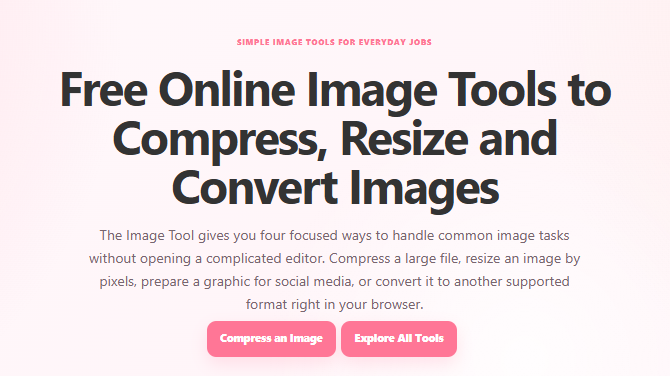
TheImageTool is one example of a website built around everyday image-related tasks. Its image compressor allows users to reduce image file sizes online, while the site also offers other tools for working with images.
That can be handy when compression is only one part of what you're trying to accomplish.
For instance, you might need to resize an image after compressing it, or convert it into another format before uploading it somewhere.
Who Actually Needs Image Compression?
Pretty much anyone who works with images regularly can find a use for it.
Bloggers can reduce the size of photographs before adding them to articles. Website owners can optimize images before uploading them. Online sellers can make product photographs lighter. Students can reduce large images before adding them to presentations.
Even people who don't run websites can benefit.
If you've ever tried sending a large group of photographs and received a message saying the files are too large, you already know the problem. Smaller copies are easier to share and transfer.
Freelancers and designers can also create compressed copies for previews while keeping the original files untouched.
Keep Your Original Files
One simple habit is worth mentioning: don't replace your original images unless you have a reason to.
If you've taken an important photograph, keep the original high-quality version somewhere safe. Create a compressed copy for your website, email, social media post, or other online use.
That way, you still have the original if you later need to print it, edit it, crop it, or use it for another purpose.
It takes very little effort and can save frustration later.
A Few Seconds Can Save a Lot of Space
Image compression isn't some complicated technical process that only developers need to understand.
For most people, it's simply a practical way of making image files easier to use.
A smaller file can upload faster, take up less storage, and be easier to send to someone else. For websites, reducing unnecessary image weight can also contribute to a smoother browsing experience.
The important thing is not to obsess over making every image as small as possible. A tiny file isn't useful if the photograph looks terrible.
The better approach is to find a reasonable balance.
Before uploading your next batch of photographs, take a look at their file sizes. If a simple website image is several megabytes, there is a good chance it can be made considerably lighter without anyone noticing a meaningful difference in quality.
Sometimes the simplest improvements are the ones that make the most sense. Image compression is one of them.

 English
 Arabic
 French
 Portuguese
 Deutsch
 Turkish
 Dutch
Dutch
 Italiano
 Russian
 Romaian
 Portuguese (Brazil)
 Greek
Greek